Ask any AI model about the page you are on, and change it.
A browser bar for Chrome and Firefox, and an app for the phone, for anyone who works on websites: SEO specialists, writers, developers.
Works in Chrome on Android
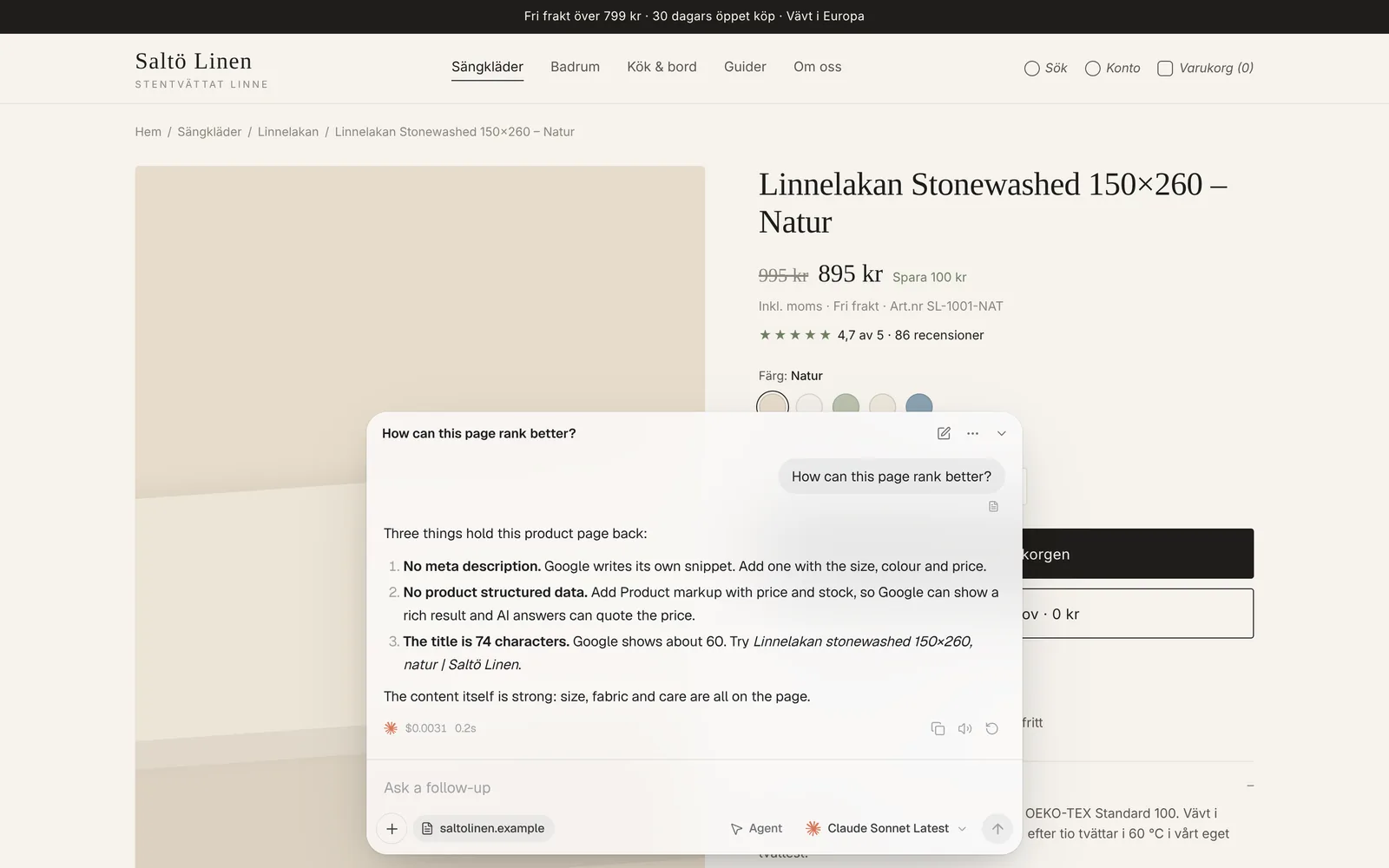
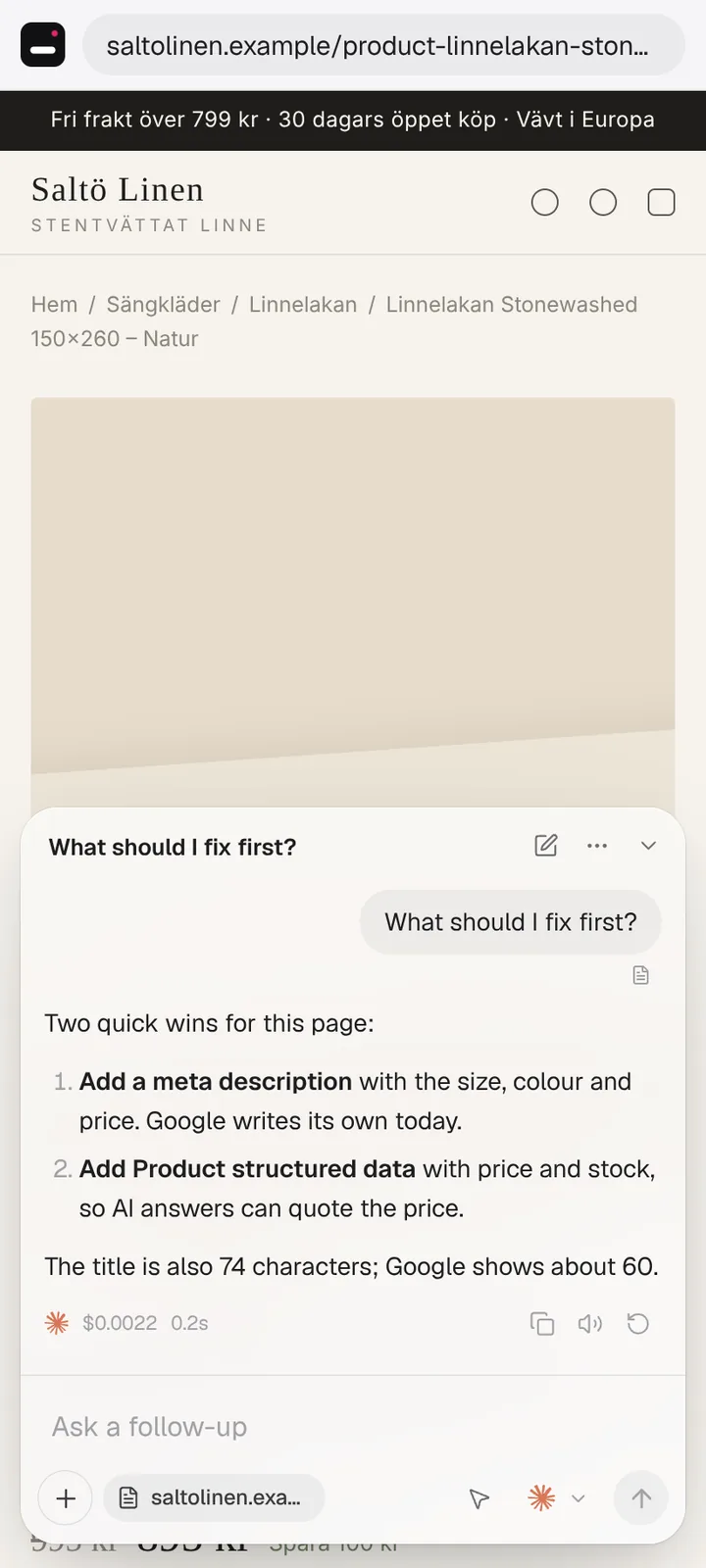
Swipe the screenshot to explore · example data
What you can do.
- 01
Ask about any page
Press ⌘⇧Space or right-click anything on a page, and ask. Ægentica reads the page, its headers and status for you.
- 02
An SEO file for every page
The crawler’s 45 page rules, speed in your visit, what shows before scrolling, robots.txt for Google and the AI crawlers, the sitemap, and what changed since your last visit.
- 03
Let the AI do the work
It edits the page (undoable) and browses for you, in several tabs at once: after you approve, or hands-free while you steer it. A rabbit on the bar hops to each thing it touches.
- 04
Every model, your account
Claude, GPT, Gemini, Llama and hundreds more through your own OpenRouter account.
Watch it work.
 Waits on the bar
 Hops to the next step
 Clicks for you
 Done
Done
Install Ægentica.
Chrome on a Mac or PC
- 1Download aegentica-chrome.zip and unzip it. Keep the folder: Chrome runs Ægentica from it.
- 2Open
chrome://extensionsand turn on Developer mode. - 3Click Load unpacked and choose the folder. Pin Ægentica from the puzzle-piece menu.
- 4On any page, press ⌘⇧Space (Ctrl+Shift+Space on Windows) or right-click and ask.
Your Android phone
- 1Open Ægentica for phones in Chrome.
- 2Chrome menu → Add to Home screen → Install.
- 3On any page in Chrome: Share → Ægentica. The page opens with the bar on top.
Firefox: its own build loads today as a temporary add-on; a signed build that stays installed is next.
Your key, your pages.
Your key stays in your browser
It is only ever sent to OpenRouter, never to us.
Sites one at a time
Ægentica opens where you call it, and stays on a site only when you choose “Always show on this site”.
It asks before it acts
Reading and undoable edits run alone; clicking, typing and navigating wait for your yes.
Works with.
Works with
- OpenRouter
- Claude
- ChatGPT
- Gemini
- Meta AI
- Mistral
Runs on
- Chrome
- Firefox
- Android
Where it stands.
Works today
- Chrome and Firefox builds, with 287 unit tests and browser tests passing.
- The phone app is live: share any page from Chrome to Ægentica, and it works in several pages there too.
Next
- A Chrome Web Store listing, so it installs and updates itself.
- A signed Firefox build, then a test with a real OpenRouter account end to end.
Part of one suite.
01
Collect
Your site, your accounts and the Swedish market.
02
Decide
Where you stand, why, and the one thing to fix next.
03
Fix
On the page or in your store, approved by a person.
Hosting partner
Host4AI: hosting for your sites, apps and AI tools, on a server you own.
Built by the same team in Stockholm. The Connectors, Ægentica’s phone app and this website run on it.
Ask your next page a question.
Open Ægentica on your phone now, or install it in Chrome.