Check a whole site, page by page, against 57 rules.
A desktop app and a Chrome extension, for sEO specialists auditing a site.
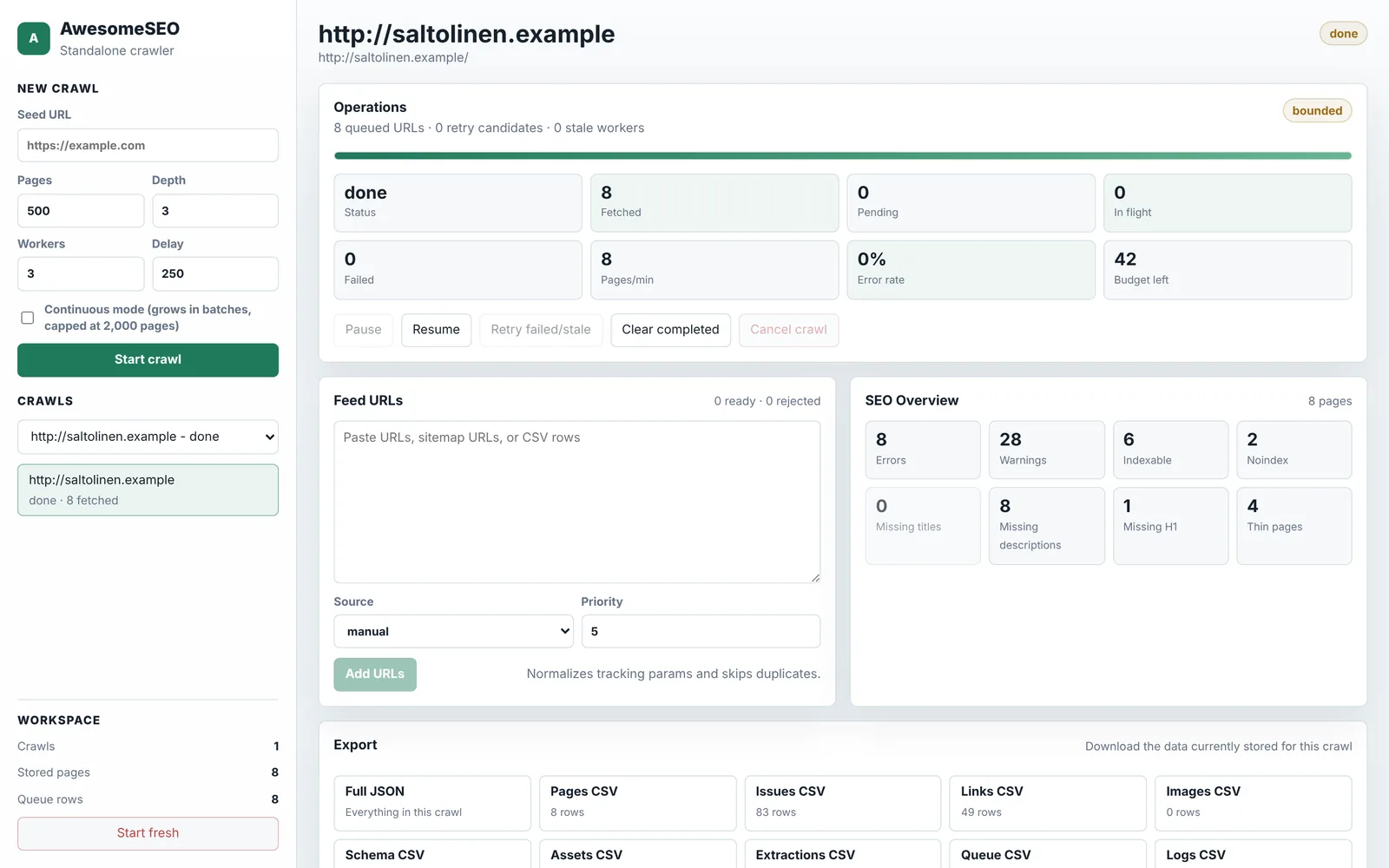
Swipe the screenshot to explore · example data
What you can do.
- 01
Crawl like Google
It follows every link, renders pages that need JavaScript and takes a screenshot of each.
- 02
57 rules, plus checks across pages
Titles, canonicals, status codes, duplicates, thin pages, structured data and Core Web Vitals.
- 03
Compare two crawls
See what changed since last time, and export a report for the client.
- 04
From inside your browser
The Chrome extension audits the page in front of you, and can crawl behind a login.
All 57 rules.
- Notice
No canonical link
Add a self-referencing canonical so parameters and duplicates resolve to one URL.
- Warning
Canonical is not a valid URL
Use an absolute https URL in the canonical link.
- Notice
Canonical points to another site
Check that the cross-domain canonical is intended; it hands the ranking to that URL.
- Notice
Canonicalised to another URL
Fine when intended (filters, parameters). Check that the target is the page you want ranked.
- Error
Canonical points to a redirect
Point the canonical at the final 200 URL.
- Warning
Noindex in robots meta
Remove the noindex if the page should rank; keep it on filters, carts and duplicates.
- Warning
Noindex in X-Robots-Tag header
Check the server or CDN rule that sets X-Robots-Tag.
- Error
Noindexed URL listed in the sitemap
Remove the noindex, or drop the URL from the sitemap. Not both signals at once.
- Warning
Invalid hreflang entry
Every hreflang link needs a language code and an absolute href.
- Warning
hreflang without return link
Add the reciprocal hreflang on the other language URL.
- Warning
No internal links to this page
Link the page from its hub or collection; pages found only in the sitemap are hard to discover.
- Notice
Five or more clicks from the start page
Link deep pages from their collection's first page.
- Error
Missing title
Give the page a title that names the query and the page type, 30 to 60 characters.
- Warning
Title shorter than 20 characters
Aim for 30 to 60 characters: query first, then what makes this page different.
- Warning
Title longer than 70 characters
Front-load the query and cut the store name; Google truncates around 60.
- Warning
Duplicate titles on indexable URLs
Give each URL a title that names its attribute (size, colour or use).
- Warning
Missing meta description
Write a description that states the answer or offer; 70 to 160 characters.
- Notice
Meta description shorter than 70 characters
Use the space: name the entity, the attribute and the reason to click.
- Notice
Meta description longer than 160 characters
Put the answer in the first 160 characters; the rest is cut.
- Warning
No H1
Add one H1 that states the page's subject.
- Warning
More than one H1
Keep one H1; demote the others to H2.
- Notice
Heading level skipped
Do not jump from H2 to H4; headings are the page's outline.
- Notice
No og:title
Add Open Graph title so shares on Slack, LinkedIn and X show the page name.
- Notice
No og:description
Add Open Graph description; share previews fall back to nothing.
- Notice
No og:image
Add a 1200×630 share image; link previews without one are skipped by many feeds.
- Notice
No twitter:card
Add twitter:card summary_large_image so X renders the share image.
- Notice
No viewport meta
Add <meta name="viewport" content="width=device-width, initial-scale=1">.
- Notice
<html> has no lang
Set lang on <html> (sv, nb, en) so engines and screen readers know the language.
- Warning
HTTPS page loads http:// assets
Serve scripts, styles and images over https; browsers block or warn on mixed content.
- Error
HTTP error status
Fix or redirect (301) the URL and update the links that point at it.
- Notice
URL redirects
Point internal links and the sitemap at the final URL.
- Warning
Redirect chain (2+ hops)
Redirect straight to the final URL; every hop costs a request.
- Warning
HTML larger than 500 KB
Move inline data and SVG out of the document; paginate long lists.
- Notice
More than 8 render-blocking resources in <head>
Defer scripts, inline critical CSS and load the rest asynchronously.
- Warning
Server response over 600 ms
Cache the template at the edge and defer third-party apps until after first paint.
- Error
Could not fetch the URL
Check DNS, TLS and timeouts; the crawler retried and gave up.
- Error
Could not parse the document
The response was not readable HTML; check the content type and encoding.
- Error
Main content under 100 words
Add the attribute sections the model places on this template, or noindex the page.
- Warning
Main content under 300 words
Cover the consensus attributes for this page type before adding new ones.
- Notice
Very hard to read
Shorter sentences and plainer words. English: Flesch under 30; other languages: LIX over 60.
- Notice
Difficult to read
Shorter sentences and plainer words. English: Flesch under 50; other languages: LIX over 50.
- Warning
One term over 5% of the text
Use the entity's attributes and variants instead of repeating one term.
- Warning
Near-duplicate of another page
Merge the pages or canonicalise one to the other; differentiate with the attributes each one owns.
- Warning
Pages compete for the same query
Give each query one URL; merge or re-target the others.
- Warning
Over 20% of images lack an alt attribute
Add alt text from the variant or subject name; approve drafts in bulk.
- Notice
Images without alt text
Describe what the image shows; decorative images get alt="".
- Notice
Most images load eagerly
Add loading="lazy" to images below the fold; keep the hero eager.
- Notice
No structured data
Add JSON-LD for the page type (Product, Article, Organization) using only what the page shows.
- Warning
JSON-LD does not parse
Fix the JSON syntax; an invalid block is ignored entirely.
- Warning
JSON-LD missing a required field
Add the required properties for the type, or Google will not use the markup.
- Warning
JSON-LD claims not visible on the page
Render what the markup claims (price, rating, availability) or remove it from JSON-LD.
- Notice
Product JSON-LD without GTIN or MPN
Add gtin13 or mpn from the supplier sheet; Merchant Center and shopping results use them.
- Notice
Generic anchor text
Replace "click here" and "read more" with the target page's subject.
- Notice
Link without anchor text
Give image links an alt text or add visible anchor text.
- Warning
No internal links on the page
Link to the cluster hub and sibling pages; a dead end is a crawl dead end too.
- Error
Internal link points to a broken URL
Redirect the target (301) or update the link.
- Notice
Internal link points to a redirect
Point the link straight at the final URL.
Works with.
Works with
- Chrome
- Lighthouse
- PageSpeed Insights
- Google Sheets
Runs on
- macOS
- Windows
- Chrome
Where it stands.
Works today
- The crawl engine with 104 tests; the desktop app starts and runs all 57 rules.
- The Chrome extension audits the open page and crawls from your browser.
- Team tools around it (a cloud crawler, a Screaming Frog runner, Sheets explorers) are built and scored on the products page.
Next
- A packaged app for Mac and Windows, with scheduled crawls.
- The extension in the Chrome Web Store.
Part of one suite.
01
Collect
Your site, your accounts and the Swedish market.
02
Decide
Where you stand, why, and the one thing to fix next.
03
Fix
On the page or in your store, approved by a person.
Hosting partner
Host4AI: hosting for your sites, apps and AI tools, on a server you own.
Built by the same team in Stockholm. The Connectors, Ægentica’s phone app and this website run on it.